
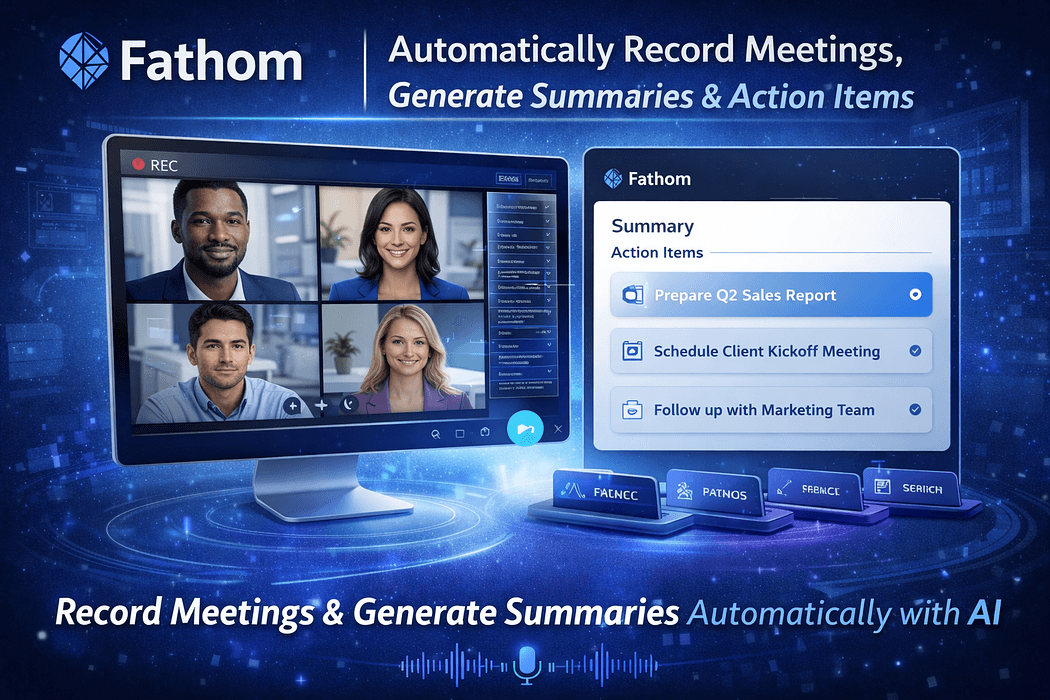
How many times have you walked out of a meeting, opened a blank doc, and realized you can only remember about half of what was actually decided? You wrote a few notes during the call, but now they are half-sentences that make no sense out of context. The action items? Scattered across three different people's notebooks. Sound familiar? The Fathom AI meeting recorder was built specifically to end that problem, and it is doing it with a free plan so generous that it makes you wonder how the company makes money.
Fathom is an AI meeting assistant that automatically records, transcribes, and summarizes your Zoom, Google Meet, and Microsoft Teams calls. Founded in 2020 by Richard White and backed by 27 million dollars in total funding including a 17 million dollar Series A led by Telescope Partners, it has grown into one of the most widely used meeting intelligence tools on the market, trusted by hundreds of thousands of users daily worldwide.
The core pitch is simple: you focus on the conversation while Fathom handles everything else. It joins your meeting as a participant, records the whole thing, transcribes it in real time across 28 languages, and then delivers a structured summary with action items to your inbox within 30 seconds of the call ending. No manual notes. No post-meeting write-up. No chasing people to find out who was supposed to do what.
Its 4.7 out of 5 rating on G2 across thousands of reviews is not accidental. For a tool competing in a market full of well-funded alternatives, Fathom has earned its reputation on the quality of its core features rather than marketing hype.
Setup takes about five minutes. You connect Fathom to your calendar and authorize it to join your meetings. From that point, it auto-joins every meeting it detects unless you tell it not to. You can customize this in settings: choose whether it joins all meetings, only internal ones, only external ones, or just the ones you manually invite it to. You can even rename the bot so it shows up as something other than the default Fathom Notetaker.
During the meeting, Fathom transcribes in real time with speaker identification, meaning it labels who said what throughout the transcript. You can also highlight key moments during the call using a one-click clip feature, which marks a section of the recording for easy retrieval later. Think of it like bookmarking a specific quote in a book while you are reading it.
Once the meeting ends, Fathom processes everything and delivers a structured summary in your inbox within about 30 seconds, which is roughly 10 times faster than most competitors. That summary includes key discussion points, decisions made, and extracted action items with the relevant context around each one. The transcript is searchable and stored indefinitely, so finding what was said in a client call six months ago takes seconds instead of a memory excavation exercise.
Here is where Fathom genuinely stands out from every competitor in the AI meeting notes generator space. The free plan gives you unlimited recordings with no minute caps, unlimited transcripts stored indefinitely, basic AI meeting summaries, highlight clips, a personal meeting library with full search, and basic CRM integration with HubSpot and Salesforce. Compare that to Otter's 300-minute monthly limit on its free plan and the gap becomes obvious very fast.
Fathom has explicitly committed to keeping this Standard individual plan free forever. Their monetization comes from Team Editions and premium AI features rather than capping basic usage. For someone doing five to ten meetings per week, the free plan covers the vast majority of what they actually need without spending a cent.
The one thing worth knowing is that advanced AI features including Ask Fathom, Advanced AI Summaries, and AI Action Items are available on a trial basis for free users at five meetings per month as of late 2025. Beyond that, you are in premium territory. It is honest, it is reasonable, and the free baseline is still more useful than what most paid plans from competitors deliver.
Ask Fathom is the platform's ChatGPT-style interface, now expanded to work across your entire meeting history rather than just individual calls. You can ask questions like what objections did prospects raise about our pricing last month or what action items came out of the project review last Tuesday and get instant answers synthesized from all of your recorded meetings. Customer success managers using Ask Fathom to review account history before renewal calls have reported a 25 percent improvement in retention outcomes based on Fathom's own downstream data.
Fathom's HubSpot and Salesforce integration automatically matches contacts from your meetings, updates deal records, and logs activities without any manual input. The average saving is around 20 minutes per meeting in CRM data entry. An enterprise sales team with 30 people using this integration eliminated 15 hours per week of manual CRM work entirely. Zapier integration, now available on all plans as of September 2025, extends this to over 5,000 additional apps including Asana, which launched its native integration shortly after.
One of Fathom's biggest updates announced in October 2025 is botless recording, their response to one of the platform's most consistent criticisms. Rather than joining as a visible participant, this new capture mode records meetings on both desktop and mobile devices without any bot showing up in the participant list. It also extends to in-person meetings and huddles, something the bot-based approach simply could not handle. This is a genuinely important update that addresses the two most common objections to the platform.
Team Edition users get access to 14 structured summary templates tailored to specific meeting types: sales calls, customer success check-ins, project standups, and more. AI Scorecards, added in late 2025, automatically evaluate meetings against custom criteria, which is particularly useful for sales coaching and quality assurance. Team Admin permission levels, launched in February 2026, let department leads manage team settings without needing full organization-wide admin access.
Sales teams are the clearest beneficiary. The CRM automation alone justifies the tool. A rep doing eight calls per day and saving 20 minutes of admin per call is getting back over two and a half hours of selling time daily. The deal intelligence features, account views, and coaching metrics make Fathom a lightweight alternative to expensive revenue intelligence platforms like Gong at a fraction of the price.
Remote and hybrid teams who run a high volume of meetings every week are the other obvious match. If your team is distributed across time zones and people regularly miss meetings, having a searchable, summarized record of every call eliminates the need to schedule catch-up calls just to transmit information that should have been documented in the first place.
Solo consultants and freelancers who need professional meeting documentation without paying for an enterprise tool are well served by the free plan. Client calls get transcribed and summarized automatically, follow-up emails can be drafted directly by Ask Fathom from the meeting content, and everything is searchable forever. It is a genuinely useful productivity layer that costs nothing for individual use.
The visible bot is the most discussed limitation, and it is real. When Fathom joins as a named participant, some clients find it off-putting, particularly in sensitive discussions or first meetings with new contacts. The botless recording feature announced in October 2025 is the direct fix for this, but full rollout and mobile availability are still in progress as of early 2026. It is worth tracking as a feature before forming a final opinion on the platform.
There is no mobile app yet, which is a genuine gap in 2026. You can access recordings via a mobile browser, but initiating recordings or using advanced features on iOS or Android is not currently possible. Competitors like Otter.ai and Fireflies offer full mobile apps, so if mobile recording is a core part of your workflow, Fathom is not yet the right fit.
It is also built exclusively for online meetings. You cannot upload pre-recorded audio or video files for transcription, it does not support webinars or breakout rooms, and meetings over 250 participants are not supported. For teams that also need to transcribe offline conversations, recorded interviews, or large-format events, a supplementary tool is needed alongside Fathom.
Fathom wins on free plan generosity, summary speed, and CRM integration depth. Fireflies has an edge on transcription accuracy in noisy or multi-speaker environments and offers richer conversation analytics including talk-to-listen ratios. Otter is the strongest choice if mobile recording is essential and if you need real-time live transcription visible to all participants. Fathom holds its own as the best all-around balance of features, accuracy, and price for individual professionals and sales-focused teams.
If you are still manually taking meeting notes, Fathom AI is one of those rare tools where the value is obvious within the first session. The free plan is genuinely useful, the 30-second summary turnaround is hard to argue with, and the CRM integration alone saves most sales professionals more time in a week than any other productivity tool they are paying for. Start with the free plan, connect your calendar, and let it run on your next five meetings before making any judgment.
The botless recording and mobile app additions that are rolling out in 2026 address the two most legitimate criticisms head-on. Once those are fully live, the remaining reasons to use a competitor narrow considerably. For most professionals running three or more meetings per week, Fathom is not just a nice productivity upgrade. It is a meaningful change to how much of your day you actually spend doing work versus documenting it.